
Bolly Game Deposit Guide – Minimum Deposit, Recharge & Payment Help
BollyGameHub provides independent information about depositing or recharging money in Bolly Game. This guide explains the deposit process, minimum amounts shown in the in-app Help section and what to do when a completed payment does not appear in the game account.
⚠️ 18+ WARNING: Bolly Game includes real-money gaming features. Only adults who meet the applicable legal-age requirements and whose local laws permit participation should use real-money features. Depositing money can lead to financial loss.
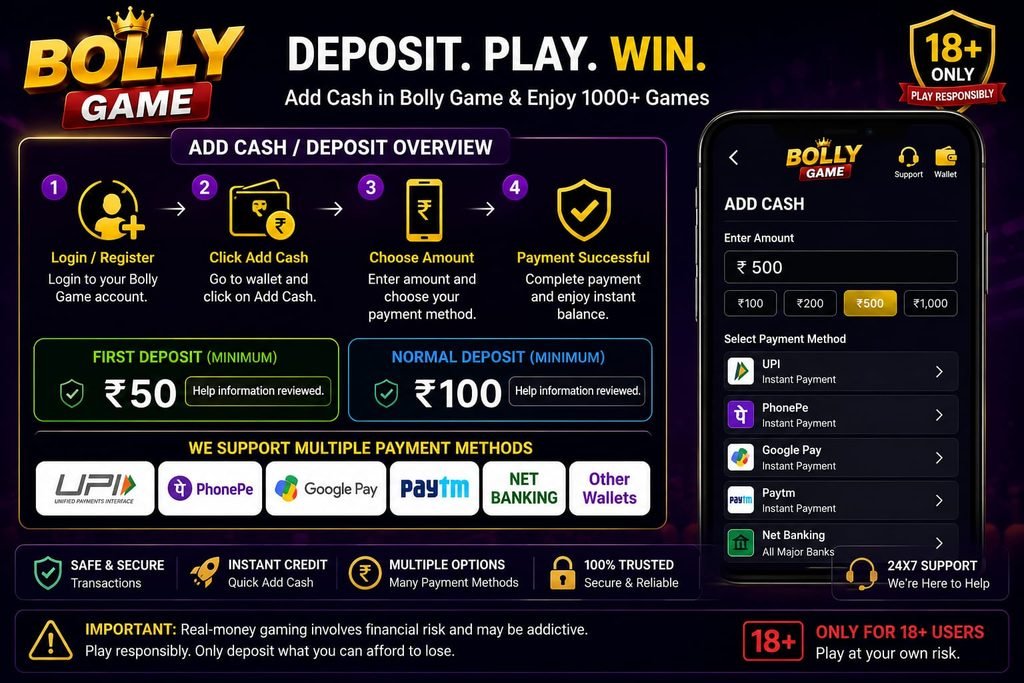
What Is the Bolly Game Minimum Deposit?
The Bolly Game in-app Help & Support information reviewed by BollyGameHub states that the minimum amount for a first deposit is Rs. 50.
The same Help information states that the normal minimum deposit is Rs. 100.
These amounts reflect the in-app Help information reviewed for this guide. Deposit limits, available amounts, payment methods and promotional conditions can change, so always check the current deposit screen in your own account before making a payment.
First Deposit Minimum
According to the in-app Deposit Help reviewed by BollyGameHub, the minimum first deposit is Rs. 50.
A first-deposit promotion should not be confused with guaranteed profit. Any bonus or cashback associated with a deposit can have separate eligibility, task, wagering or other conditions.
Normal Minimum Deposit
The in-app Help information reviewed for this guide states that the normal minimum deposit is Rs. 100.
If your current app screen shows a different minimum or different selectable amounts, follow the current information displayed in your account.
💳 How to Deposit Money in Bolly Game
The in-app Deposit Help reviewed by BollyGameHub describes the general deposit process as selecting an amount, starting the deposit, selecting a payment method and completing the payment through the relevant payment service.
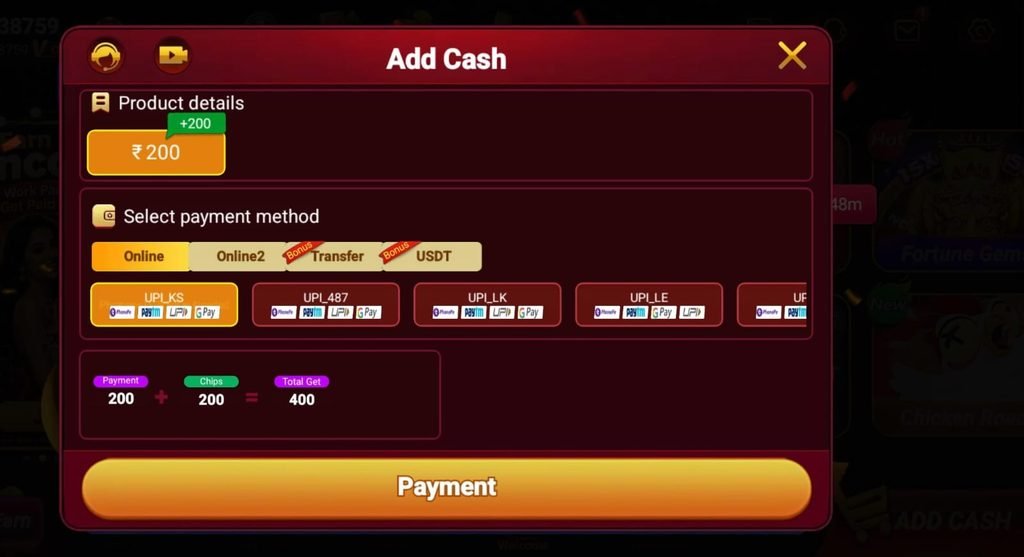
Open the Deposit Section
Log in to your account and open the current Deposit or Recharge section.
Select a Deposit Amount
Choose the amount you intend to deposit. Check the amount carefully before continuing.
Do not deposit more simply to qualify for a promotional message unless you have read and understood the current terms.
Choose a Payment Method
Select one of the payment methods currently available in your account.
Payment options can change, so BollyGameHub does not assume that a payment method shown to one user will always be available to every user.
Complete the Payment
Follow the instructions provided by the selected payment service.
Before approving a payment, check the amount and recipient/payment information displayed on screen.
Return to the App
After successful payment, return to Bolly Game and check whether the account balance or deposit status has updated.
Do not repeatedly make the same payment simply because the first transaction does not appear immediately.
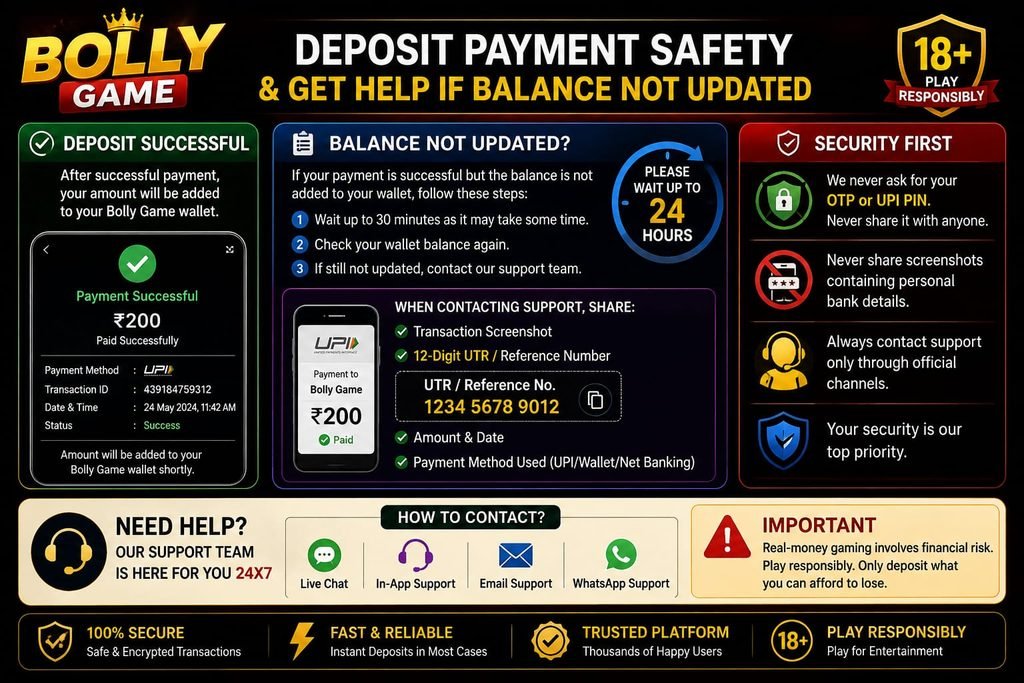
⏳ Deposit Completed but Balance Not Updated
The Bolly Game in-app Help information reviewed by BollyGameHub states that bank-network issues can sometimes delay the arrival of a deposit.
If you have already completed a payment, first confirm that the payment application or bank shows the transaction as successful.
Avoid immediately making another identical payment while the first transaction is still being processed.
What If the Deposit Is Still Missing After 24 Hours?
The current in-app Deposit Help reviewed for this guide instructs users to contact customer service if the payment has not arrived within 24 hours.
It asks users to provide evidence including a screenshot showing the successful payment and the relevant 12-digit UTR, UPI reference number or UPI transaction ID.
Only provide transaction information through the appropriate support route. Never publicly post sensitive banking credentials, OTPs, passwords or authentication information.
What Is a UTR or UPI Reference Number?
A UTR or transaction/reference number helps identify a particular payment.
Depending on the payment method and app used, it may appear as a UTR, UPI Ref No, reference number or transaction ID.
Use the identifier associated with the specific transaction being investigated.
Do not confuse a transaction reference number with an OTP, UPI PIN or account password. Never share authentication credentials.
❌ Unable to Deposit in Bolly Game
The in-app Help reviewed by BollyGameHub provides basic troubleshooting when a deposit cannot be completed.
Check Available Balance
Make sure the payment account or method you selected has sufficient available funds for the intended transaction.
Check the Payment Information
Review the amount and other payment information displayed before confirming.
Try Another Available Payment Method
The in-app Help suggests trying another payment method when a deposit cannot be completed.
Only use payment methods currently presented through the intended platform flow. Do not send money to an unknown person who contacts you separately and claims they can manually add balance.
Check Your Internet Connection
An unstable connection can interfere with loading a payment page or returning the payment status to the app.
If necessary, wait for a stable connection before attempting another transaction.
Do Not Make Repeated Payments
If money has already left your bank or payment account, do not repeatedly submit additional payments simply because the balance has not updated.
First verify the transaction status and follow the appropriate support process.
🎁 Deposit Bonuses and Cashback Offers
Bolly Game can display recharge bonuses, welcome offers and other promotional campaigns.
Promotional amounts can change and may have eligibility requirements or other conditions.
The in-app Bonus Help reviewed by BollyGameHub states that certain bonuses require tasks to be completed and that eligible completed-task bonuses can be available in GULLAK.
A promotional message should therefore not be interpreted as a promise that every user will automatically receive the same amount.
Always check the current offer details displayed in your own account before depositing money for the purpose of obtaining a bonus.
Deposit Does Not Guarantee Earnings
💰 Adding money to a gaming account does not create guaranteed income.
A deposit, welcome bonus, cashback offer or referral promotion cannot remove the possibility of losing money through real-money gaming.
Do not increase a deposit because you believe a larger amount guarantees a larger profit.
Never borrow money to deposit or use money needed for rent, food, bills, education or other essential expenses.
🔒 Deposit and Payment Safety
Payment security is important whenever real money is involved.
Never Share Your OTP or UPI PIN
An OTP, UPI PIN or banking password is authentication information. Do not give it to a referral agent, unknown support account or anyone claiming they can manually complete a deposit.
Verify Before Paying
Check the amount and payment information before approving a transaction.
Keep Transaction Records
For a payment that needs investigation, a payment-success record and transaction/reference number can help identify the transaction.
Protect Sensitive Information
Do not publicly upload screenshots containing full banking credentials, OTPs, UPI PINs, passwords or other authentication information.
Use Current Customer Support
If a transaction needs investigation, use the current customer-service route provided through the platform rather than trusting an unknown social-media account.
Frequently Asked Questions
What is the minimum first deposit in Bolly Game?
The in-app Deposit Help reviewed by BollyGameHub states that the minimum first deposit is Rs. 50. Check the current app because limits can change.
What is the normal minimum Bolly Game deposit?
The same in-app Help information states that the normal minimum deposit is Rs. 100. The current deposit screen should be treated as the latest source for your account.
How do I deposit money in Bolly Game?
The in-app instructions describe selecting a deposit amount, starting the deposit, choosing an available payment method and completing payment through the relevant payment service.
What should I do if my deposit is successful but not credited?
First verify that the transaction was successful. The in-app Help says bank-network issues can cause delays.
What if my deposit is not credited within 24 hours?
The in-app Help reviewed for this guide instructs users to contact customer service and provide a successful-payment screenshot plus the relevant 12-digit UTR, UPI reference number or UPI transaction ID.
Should I deposit again if the first payment is delayed?
Avoid immediately repeating a successful payment. Verify the transaction status and use the appropriate support process first.
Can a deposit bonus change?
Yes. Recharge bonuses, cashback offers and promotional conditions can change. Check the current terms displayed in your account.
Does depositing money guarantee that I will earn money?
No. Real-money gaming involves the possibility of financial loss. Deposits and bonuses do not guarantee profit.
🛡️ 18+ and Responsible Deposit Notice
Bolly Game includes real-money gaming features. Only adults who meet the applicable legal-age requirements and whose local laws permit such activity should participate.
Before depositing, decide how much you can afford to lose. Never borrow money to play or use money required for essential expenses.
BollyGameHub is an independent informational website and is not the official Bolly Game operator. We do not process deposits, hold user balances or control payment decisions. Deposit limits, payment methods, promotions and platform rules can change.